Blog
Multi-Agent Orchestration in Production: How to Build AI Systems That Actually Work

August 25, 2026

time
A single AI agent can be impressive in a demo.
Give it a task, connect it to a few tools, and watch it reason through the problem.
But enterprise operations are rarely that simple.
A real workflow may involve retrieving data from multiple systems, validating information, applying business rules, checking compliance requirements, making decisions, and sometimes asking a human for approval.
Trying to make one agent handle everything can quickly create problems.
The agent becomes overloaded with too many responsibilities. Its prompts become increasingly complex. Debugging failures becomes difficult. And when something goes wrong, it is often hard to understand where the failure actually happened.
This is where multi-agent orchestration becomes useful.
Imagine an AI system responsible for processing a supplier onboarding request.
It needs to:
A single agent could theoretically perform all these tasks.
But that does not necessarily mean it should.
When one agent handles research, validation, decision-making and communication, the system becomes harder to monitor and control. It may also have access to more tools and permissions than necessary.
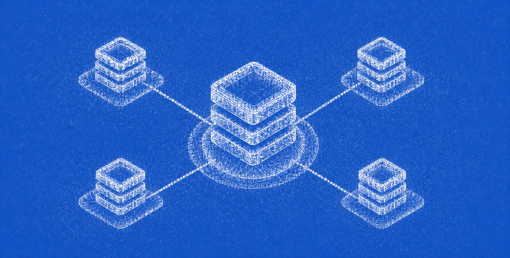
A multi-agent architecture divides these responsibilities.
In a production environment, agents should ideally have clearly defined responsibilities.
For example:
Research Agent
Collects information from internal databases and approved external sources.
Validation Agent
Checks whether required documents and data fields are complete.
Compliance Agent
Evaluates the request against predefined policies and rules.
Decision Agent
Combines validated information and prepares a recommendation.
Communication Agent
Generates a summary or sends the result to the relevant business system.
This approach makes each part of the workflow easier to test and monitor.
However, specialization alone is not enough. The agents still need a reliable way to work together.
There is no single architecture that works for every use case.
A sequential orchestration pattern works well when tasks must happen in a specific order.
Research → Validation → Compliance → Decision
A supervisor pattern uses one orchestrator to decide which specialised agent should handle the next step.
A hierarchical pattern can be useful for larger workflows where higher-level agents coordinate groups of specialised agents.
In some cases, agents may work in parallel. For example, one agent can validate supplier documents while another retrieves historical performance data.
The key is to choose the simplest orchestration pattern that matches the business workflow.
One of the biggest challenges in multi-agent systems is context management.
Passing the entire conversation from one agent to another can increase cost, latency and the risk of irrelevant information influencing decisions.
A better approach is often to maintain a structured shared state.
For example:
Each agent reads the information it needs and writes back only relevant outputs.
This makes the workflow easier to trace and reduces unnecessary context sharing.
Not every agent should have access to every tool.
The Compliance Agent may need access to policy documents but not the ability to update supplier records.
The Communication Agent may be allowed to update a CRM but should not have permission to change financial data.
This principle of limited access improves security and also reduces the chances of an agent using the wrong tool.
Every tool call should ideally include validation, logging and clear error handling.
Consider a procurement company automating supplier evaluation.
The workflow could look like this:
1. Orchestrator receives supplier request
The system creates a workflow state and assigns a unique request ID.
2. Research Agent collects supplier information
It retrieves historical data and approved external information.
3. Validation Agent checks documents
It identifies missing certificates, incomplete forms or inconsistent data.
4. Compliance Agent evaluates policies
It checks whether the supplier meets required compliance conditions.
5. Decision Agent prepares a recommendation
It uses the validated outputs rather than independently searching through every system again.
6. Human reviewer handles high-risk cases
Routine cases may proceed automatically, while exceptions require approval.
7. Communication Agent updates the procurement system
The final decision and supporting information are recorded.
This type of workflow allows teams to identify exactly where a failure occurred.
Production systems will fail.
APIs time out. Databases become temporarily unavailable. Agents receive incomplete information. Models may produce invalid outputs.
A production-ready multi-agent system needs recovery mechanisms.
Common approaches include:
For example, if the Research Agent cannot retrieve data after three attempts, the workflow should not continue by pretending the information exists.
Instead, it can move into a recovery state and request human intervention.
A multi-agent system cannot be managed effectively if the team only sees the final answer.
Production observability should capture the full workflow, including:
These traces help teams understand agent behaviour over time.
For example, an increase in workflow latency may not be caused by the model itself. Trace data could reveal that one external API is slowing down and causing repeated retries across multiple agents.
Some of the most common problems include incorrect agent routing, missing context, duplicated actions, tool failures and excessive agent loops.
Another issue is unnecessary complexity.
A company may introduce five agents for a workflow that one well-designed agent and a few deterministic functions could handle.
More agents mean more coordination, more latency and more failure points.
A multi-agent system makes sense when:
It may be unnecessary when the task is simple, sequential and can be handled reliably by a single agent.
The goal should not be to build a system with the most agents.
The goal should be to build the simplest system capable of handling the workflow reliably.
Multi-agent orchestration in production is less about creating a team of AI agents and more about designing a reliable operational system.
Each agent should have a clear role. Context should be controlled. Tool access should be limited. Failures should be recoverable. And every important step should be observable.
When used for the right problem, a multi-agent architecture can make complex enterprise workflows easier to automate and scale.
When used unnecessarily, it simply adds another layer of complexity.
The difference comes down to good orchestration.
Have a project in mind? We'd love to hear about it. Tell us what you're building and let's explore what's possible.
hello@globalnodes.com
+91 9873388887